 Finally
How to play VR180 on Quest 3
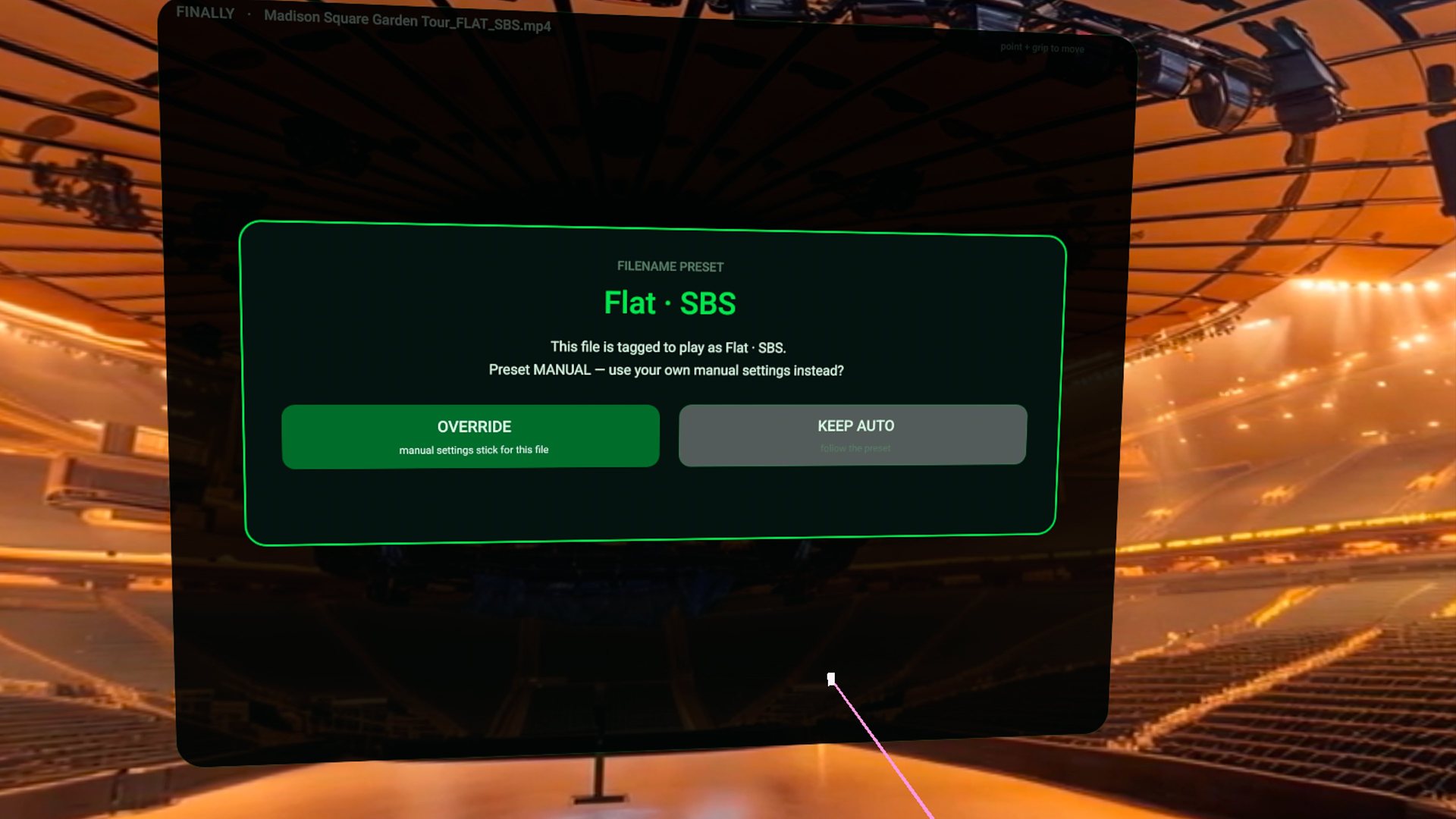
Open the file in Finally. A 180 / vr180 / sbs tag in the filename is honored. Untagged files use frame geometry and your default projection. If the world still looks wrong, set the lens and packing in the cockpit once — Finally asks OVERRIDE vs KEEP AUTO, then stores that title’s choice across rescans and updates.
This is the failure mode that makes people install a second player. Auto-detect that fights you, or a manual fix that evaporates on the next launch. Finally’s rule is the opposite: after consent, your last honest choice wins.
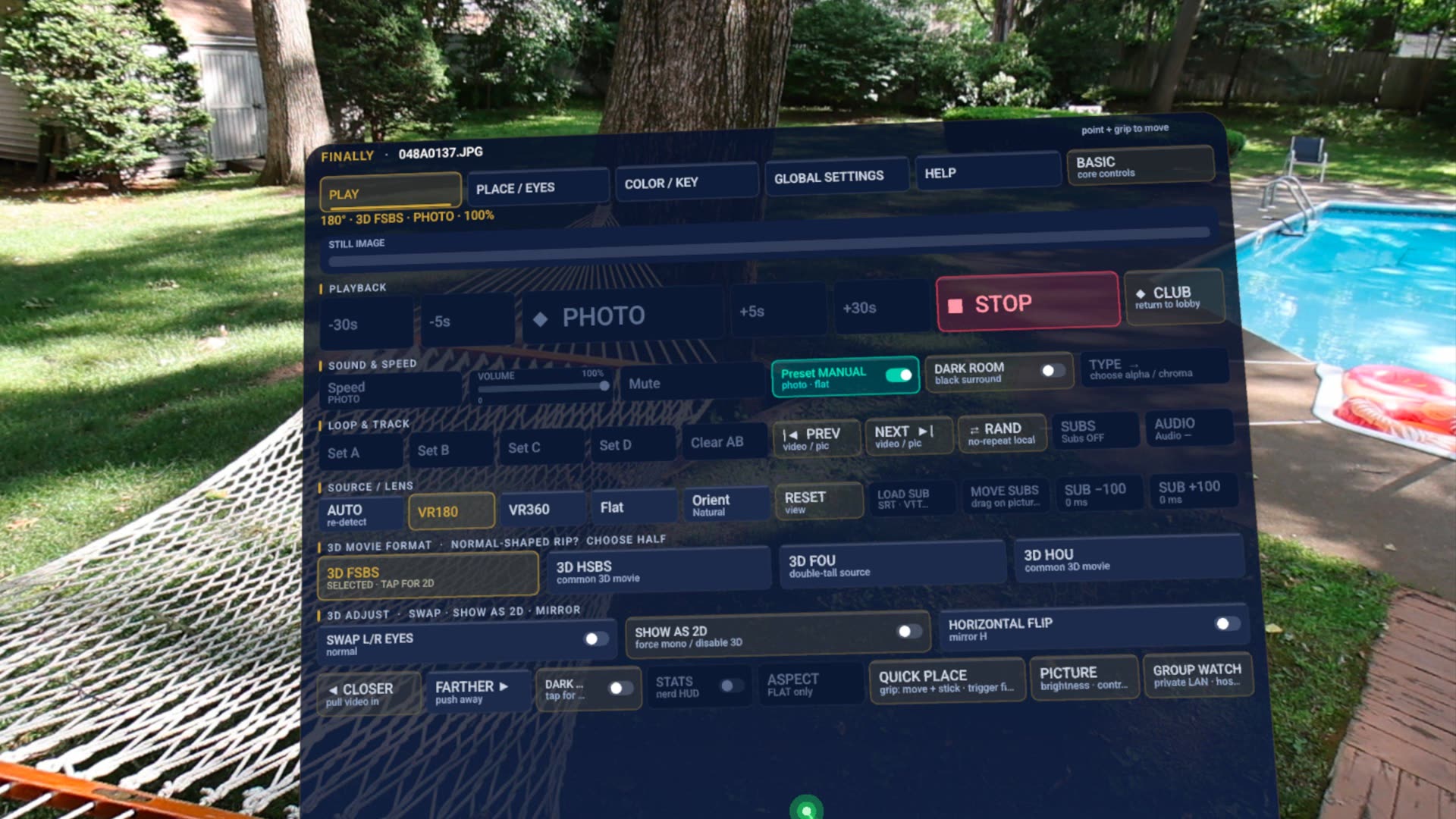
What Finally can wrap.
- VR180 equirect half-dome — the usual stitched camera export.
- VR360 full sphere.
- Fisheye / FE190 / MKX200 / MKX220 / VRCA — unstitched and wide lens families, including Canon RF 5.2 dual-fisheye exports tagged
rf52as stitched VR180. - Flat cinema panel, optionally curved, with SBS / top-bottom packing (full or half).
SBS and OU cells are toggles: press the lit one again for 2D. Depth inverted? Swap eyes instead of changing FULL to HALF. Details live in the filename-tag tables.
When the picture lies.
- Play the title. If scale, edges, or depth are wrong, open the cockpit lens row.
- Audition VR180 vs FE190 vs fisheye before you blame the file. A 190° source on a 180° mesh looks slightly zoomed with warped edges.
- Set packing (FULL/HALF SBS or OU) to match the frame, not the vibe.
- Accept OVERRIDE when asked. That setting survives rescans and app updates. AUTO remains the escape hatch.
Projection questions.
How do I play VR180 video on Meta Quest 3?
Install Finally VR Video Player, open a VR180 file from local storage or SMB, and let auto-detect pick the lens. If the picture is wrong, set VR180 / SBS / eye order once — Finally stores that override on the title after OVERRIDE consent.
Why does my VR180 look stretched or have swapped eyes?
Wrong projection or packing. Finally can use filename tags (180, sbs, mkx200, fe190, rf52) and frame geometry. Manual lens, FULL vs HALF SBS/OU, and eye swap are in the cockpit and persist per title after consent.
Local files or NAS?
Both. Same detector, same per-title memory. See NAS / SMB and local files.
Is this only for 180 cameras?
No. Flat 3D movies, 360 travel, fisheye originals, and photos share the vault. VR180 is just the search most people type.
Get the file onto the headset or the share. Finally will wrap it.
Get it free on Meta QuestProjection and stereo packing do different jobs.
Flat / VR180 / VR360 tells Finally the shape of the picture. SBS / OU tells it where the two eye views are stored. A side-by-side 3D movie or photo usually needs Flat + SBS, not VR180.
If faces are squeezed, check FULL versus HALF packing. If depth is reversed, check eye order. Change one setting at a time, then choose OVERRIDE to remember the result for that title. See the SBS photo examples or Galaxy XR setup.