 Finally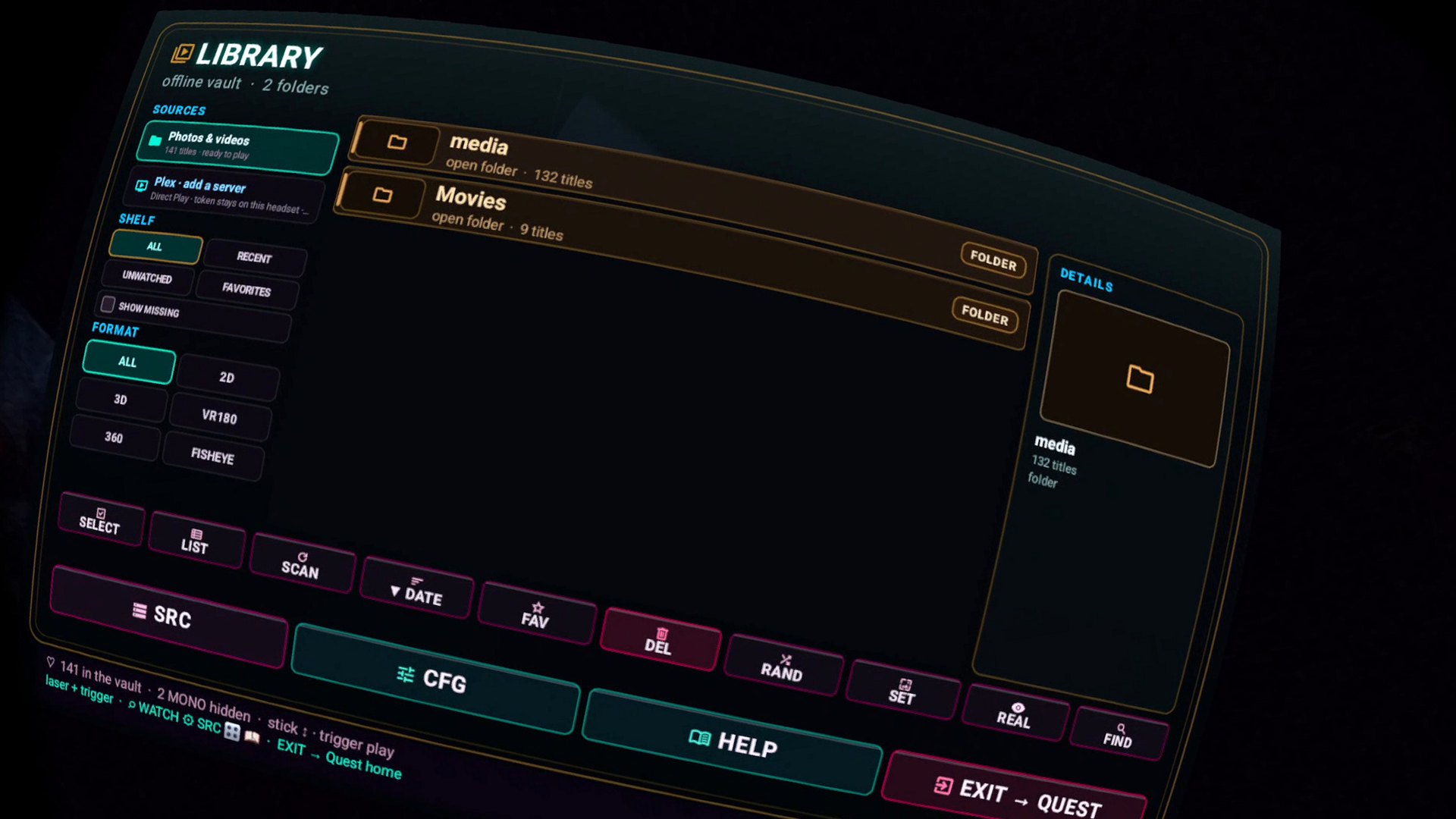
How to watch NAS movies on Meta Quest 3
Install Finally VR Video Player, add your SMB share, save, then play. The headset streams from Synology, TrueNAS, Unraid, or a Windows PC on the same Wi-Fi. Files stay on your server — SMB playback does not upload them to Coldbricks. You do not need Plex, a catalog account, or a USB copy of the whole library.
This is the job Finally was built for. Local storage and SMB let you play your existing folders directly. Hardware playback goes up to 8K as a decoder ceiling on Quest 3; whether your Wi-Fi can feed that bitrate is a network fact, not a slogan.
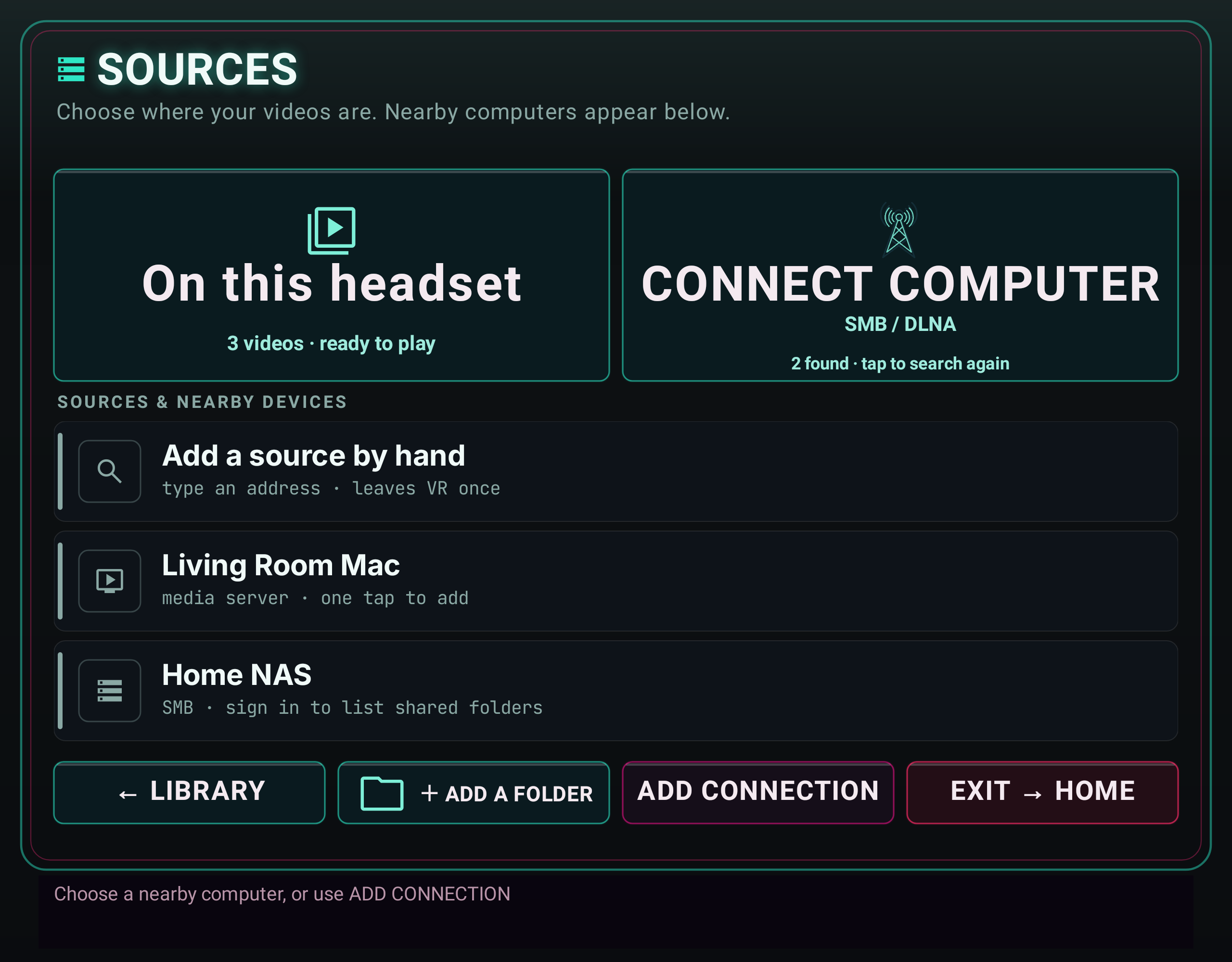
Follow the illustrated connection guide. Mac, NAS and DLNA setup, step by step, with an updated Sources preview and fixes for discovery, sign-in and empty folders. Earlier builds label this entry point SRC.
From zero to a picture.
- Install Finally from the Meta Horizon Store. Quest 3, 3S, Pro, and Quest 2.
- Share the folder over SMB on the same network as the headset. Write down host (IP or name), share, username, password.
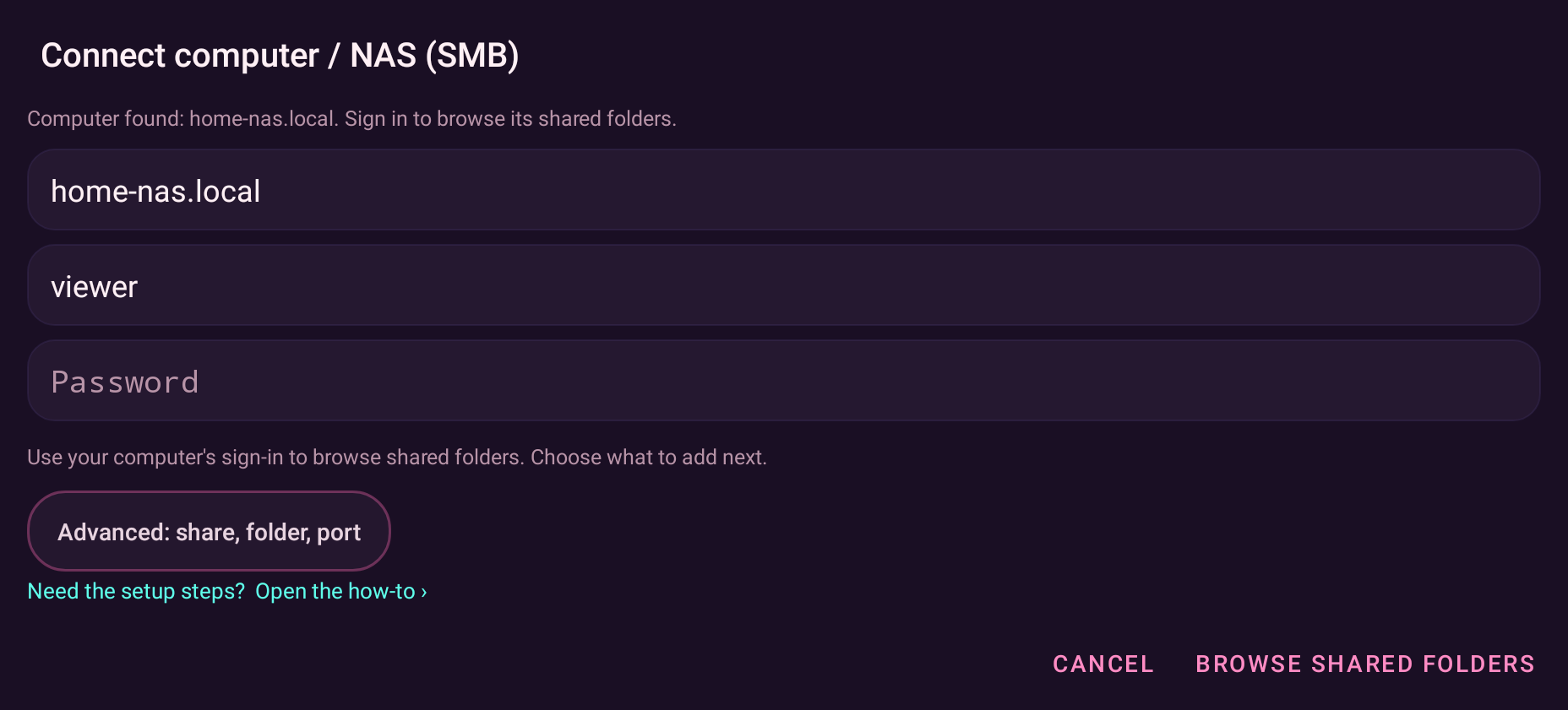
- In Finally open SRC (or SOURCES in the simplified interface), add SMB, sign in to the server, pick the shared folder.
- Save the source, then open a title.
The field manual is the authority for the build in your Lobby — buffer sizes, the live rebuffer banner, and the source controls available in your version.
Windows, Synology, TrueNAS.
Mac or FireStream
For a Mac shared folder, enable SMB in File Sharing. If you use FireStream, choose its DLNA server instead. Follow the Mac SMB steps or FireStream DLNA steps.
Windows PC
Share the movies folder (Properties → Sharing). Use a local account that can read the share. On the Quest, the host is the PC’s LAN IP. Private Wi-Fi, not guest isolation — the headset must see the PC.
Synology / TrueNAS / Unraid
Enable the SMB service, create a share that holds the library, give a user read permission. Finally talks SMB; it does not need the NAS vendor’s mobile app. If you already run Plex, Finally can Direct Play from a user-supplied local PMS URL + token — no cloud login, no transcode. SMB is still the no-transcode path for files you already named correctly.
What Finally does not do
It does not upload your library. It does not transcode on anyone’s server. It does not require a Finally account. Your server may require its own username and password. Optional nearby discovery can find SMB hosts on the LAN; credentials still stay on the headset and only go to the server you named.
NAS questions.
Can Quest 3 play 8K from a NAS?
Finally’s hardware path goes up to 8K as a decoder ceiling on Quest 3. Whether your Wi-Fi and NAS can feed that bitrate is a network fact, not a slogan. Use a wired NAS and 5/6 GHz Wi-Fi to the headset. The in-player rebuffer readout tells you if the pipe is the problem.
SMB vs Plex vs copying files
Copying is simplest and slowest to update. Plex is a catalog you already maintain. SMB is “the folder on the server, as it is.” Finally speaks all three. Plex Direct Play is a user-supplied local PMS URL + token; no cloud login, no transcode. Start with SMB if the files are already organized.
Point it at the share. Press play.
Get it free on Meta QuestChoose the folder you want to open.
- Check the server address and enter the account that can read your shared folder. A discovered server’s address is already filled.
- Choose Browse shared folders, open the share or a subfolder, then choose Select this folder.
- Choose Add & browse to save and open that folder. Start with one familiar video before indexing a large source.
If something fails, use the sign-in and connection tests to separate account trouble from folder access. In the simplified form, these diagnostics and the domain, port and manual-folder fields live under Advanced settings.
For a missing computer, follow discovery troubleshooting. For Samsung’s headset, start with the Galaxy XR guide. Full source reference.